
Find a part, compare the details and contact the vendor
A walkthrough from search results to a useful seller conversation.
In this guide
Before you start
Start with the component you need and the vehicle details you know. Search is a way to find candidates, not a diagnosis or a guarantee of fitment. Have your mechanic's part reference ready if the variant is uncertain.
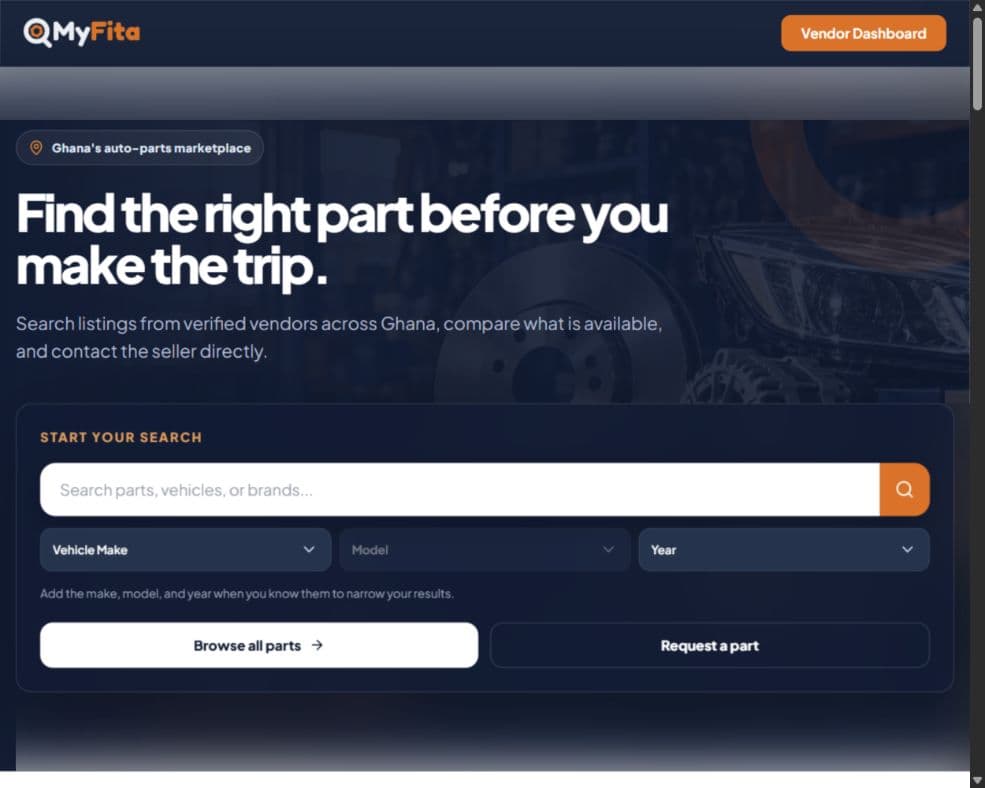
1. Search or browse
Enter the part name on the homepage, or choose Browse parts. Add make, model and year when known. A blank search opens the catalogue rather than guessing what you need.
2. Refine the results
Open Filters to narrow the available criteria, such as condition, price or location. Apply the filters and inspect the results. If nothing useful appears, clear a restrictive filter or try a shorter part name.
3. Read the listing
Open a part to inspect photos, condition, vehicle information, description and price. Contact for price means the seller needs to confirm the amount. Check the vendor profile as well.
4. Use the available contact option
Use the listing's contact controls and sign in if prompted. Call, WhatsApp or directions depend on the details the seller has supplied. Confirm availability, fitment, price and location before making the trip.
If the listing is incomplete
Ask the vendor for the missing information. A verified profile is not a guarantee about an individual part. MyFita does not take payment for the transaction or automatically reserve stock.
Ready to try it?
Follow the steps at your own pace. Sign in with the appropriate account when prompted. If you get stuck, Help Center has a route to support.